Chapter 1 of 4 · 3D with AI series
What is text to 3D?
You may have seen AI turn a sentence into a picture. Text to 3D does the same thing one step further: the result is not a flat image but an object with depth, sides and a back that you can turn around.
This chapter explains what text to 3D is, how it works in plain words, and where it helps and where it does not. It is part of the 3D with AI beginner's guide.
The short answer
Text to 3D is a kind of AI that builds a 3D model from a written description. You type something like "a small wooden toy robot" and the tool returns a model you can rotate, download as GLB or STL, and use in games, AR or 3D printing.
Text to 3D in one minute
Text to 3D (also written text-to-3D) means generating a three-dimensional model from a text prompt. The prompt is a short description of one object. The output is a 3D file: a mesh, which is the shape, usually with colours and textures on its surface.
Because the output is a normal 3D file, you can do the same things with it as with a model built by hand: look at it from any side, put it in a game or a web page, show it in AR, or 3D print it.
The word "text" in the name has nothing to do with 3D lettering. If you want letters and words turned into 3D shapes, such as a logo, use the 3D text generator. Text to 3D is about describing an object in words and getting that object back as a model.
How text to 3D works, in plain words
You do not need the math to use it, but a simple picture of the process helps you write better prompts.
- You write a prompt. The AI reads your words and turns them into a set of numbers that capture their meaning: what the object is, what it is made of and what style it has.
- It starts from noise. Generation begins from a random starting point. In our tool this is the Generator Seed. The same prompt with a different seed gives a different result.
- It refines step by step. Over many steps, the AI shapes the noise into an object that fits your description. In our tool the number of steps is the Inference Steps setting. More steps can mean higher quality and a longer wait.
- It builds a mesh and a surface. The result becomes a 3D mesh with a surface texture, which you see in the viewer.
- You download the file. GLB keeps the colours and textures. STL keeps only the shape, for printing.
The AI has learned from many examples what real and imagined objects look like in 3D. It does not copy one model. It builds a new one that fits your words, and that is why wording matters so much.
What text to 3D is good at
- Single objects. Props, toys, figurines, creatures, furniture, tools and decoration.
- Fast ideas. You can test several versions of an idea in minutes instead of days.
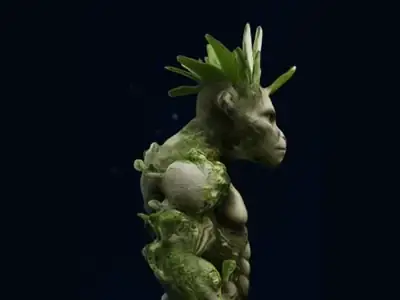
- Things that do not exist yet. A creature with a leafy crest, a robot shaped like a teapot, a chess piece in your own style.
- Starting points. A base model you can then print, texture, convert or clean up.
- Beginners. There is nothing to install and nothing to learn first. A clear sentence is enough.
What text to 3D is not good at
Knowing the limits saves you time. These are the common ones:
- Exact measurements. You cannot ask for a part that is 40 mm wide and expect that size. Scale the model afterwards with a tool such as Scale STL.
- Whole scenes. A room full of furniture is many objects. Make them one at a time.
- Readable text on the object. Small letters often come out as marks rather than words.
- Engineering parts. Gears, threads and parts that must fit together need CAD, not AI generation.
- Very thin or tiny details. Hair, wires and thin handles may be rough or too weak to print.
Many of these problems are solved by choosing the right input. If you have a picture of the object, read text to 3D vs image to 3D.
Try text to 3D yourself
Trying it takes a couple of minutes:
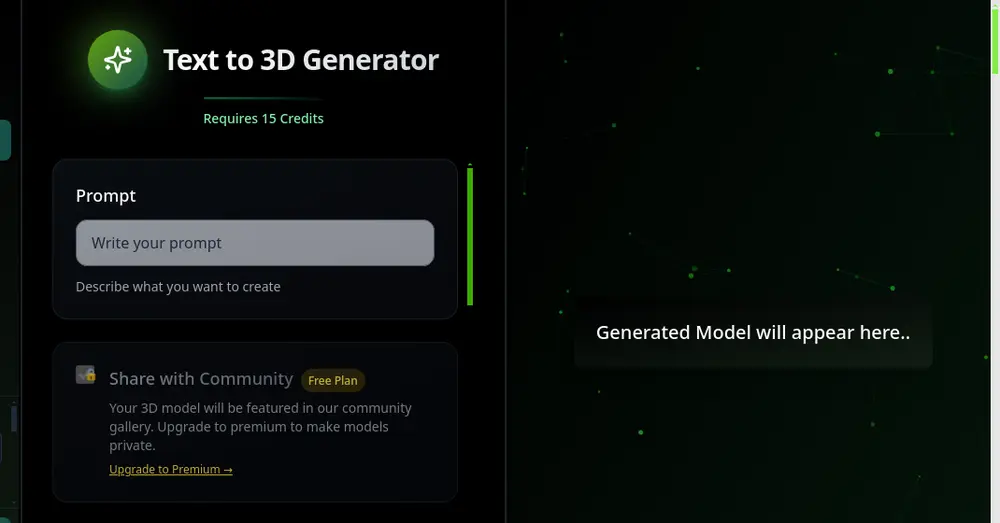
- Open Text to 3D and sign in if you are asked to. New accounts start with free credits, and one model costs 15 credits.
- Type a short description of one object in the Prompt box, for example "a small cartoon owl on a tree stump, brown feathers, big yellow eyes".
- Press Generate 3D Model and wait, usually about 1 to 3 minutes.
- Rotate the model to check it from every side, then download the GLB or the STL.
For prompts that work better, follow the text to 3D prompt guide. For the full path, including checking and exporting, follow how to make a 3D model from text.
Frequently asked questions
What is text to 3D in simple words?
It is AI that builds a 3D model from a written description. You type what you want, the tool generates the model, and you can rotate it, download it and use it.
Is text to 3D the same as 3D text?
No. Text to 3D builds an object from a description. 3D text turns letters into 3D shapes, such as a logo or a name. For letters, use the 3D text generator.
Which file formats do I get from Text to 3D?
You can download GLB, which keeps colours and textures, and STL, which holds only the shape for 3D printing. Other formats such as OBJ or FBX can be made from the GLB with the converter pages.
Do I need 3D skills to use text to 3D?
No. A short, clear description of one object is enough to start. Basic 3D knowledge only helps if you want to edit the result afterwards.
Try it now
It is free to start and runs in your browser. New accounts get free credits.