Chapter 2 of 4 · 3D with AI series
Text to 3D vs image to 3D: which one should you use?
Both tools make a 3D model in a few minutes, and both give you GLB and STL files. The difference is what you give them. One starts from words, the other from a picture.
This chapter helps you choose. It is part of the 3D with AI beginner's guide.
The short answer
Use Image to 3D when you have a clear photo of one object and want the model to look like it. Use Text to 3D when you have only an idea and want to invent something. A photo gives you more control over the shape. A prompt gives you more freedom.
Side-by-side comparison
| Feature | Text to 3D | Image to 3D |
|---|---|---|
| You give it | A short written description | One PNG, JPG or WEBP, up to 10 MB |
| Best for | Inventing something new | Copying the look of something that exists |
| Control over the shape | Medium: you steer with words | High: the picture sets the shape |
| Credits per model | 15 | 20 |
| Typical time | About 1 to 3 minutes | About 1 to 3 minutes |
| Downloads | GLB and STL | GLB and STL |
| Biggest risk | A vague prompt gives a vague object | A cluttered or cut-off photo gives a messy model |
| Open the tool | Text to 3D | Image to 3D |
How to choose in four questions
Ask yourself these in order and stop at the first clear answer:
- Do you have a clear photo of one object? If yes, use Image to 3D. The picture already tells the AI the shape, the colours and the proportions.
- Does the thing you want exist only in your head? If yes, use Text to 3D and describe it.
- Do you need an exact look, such as a specific product or toy? Use a photo. Words are less precise than a picture.
- Do you just want to explore ideas fast? Use text. Changing a word is quicker than finding or taking a new photo.
If you can draw, there is a third way: Sketch to 3D takes a drawing plus a short description, and gives you control over the shape without a photograph.
When text to 3D is the better choice
- You are inventing a character, a creature, a prop or a toy that has no picture yet.
- You want to try many variations quickly by changing a few words.
- You have no camera or no good light.
- You want a starting point for a game asset or a 3D print idea.
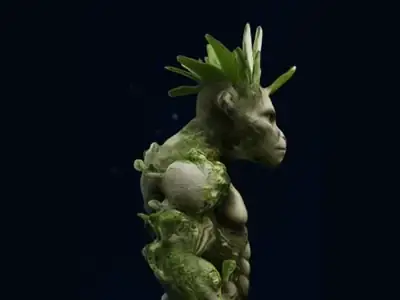
See what is text to 3D for how it works, and the prompt guide to write better prompts.
When image to 3D is the better choice
- You already have a picture of the object, a drawing or a design you want in 3D.
- You need the model to match a particular look, colour or proportion.
- You want to turn your own product, toy or artwork into a 3D model.
- You want a figure of a person or pet, which is easier from a photo: see Photo to 3D Figurine.
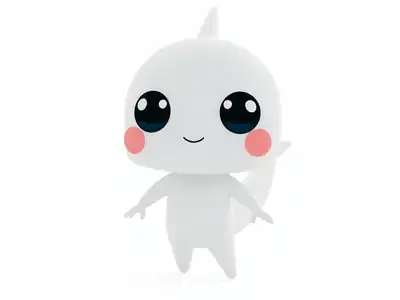
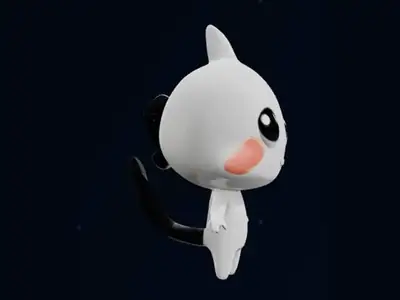
The result keeps the look of the picture. The side and back that the camera could not see are filled in by the AI, so check them. The best photos for image to 3D chapter shows how to take a photo that works.
What stays the same with either tool
Whichever input you choose, the steps after generating are identical. Open the result in the GLB viewer, drag to rotate it and look at the back, the underside and thin parts, because those are the areas the AI has to guess. If the model is for printing, download the STL and check its size in the STL viewer.
Neither tool is perfect on the first try. A good habit is to make two or three versions and keep the best one. With text, change a few words. With a photo, try a different angle or a cleaner background. Small changes to the input are the fastest way to improve the output.
Use both together
You do not have to pick one for good. Many people start with text to explore an idea, pick the version they like, and then use Edit 3D Model or a new prompt to change it. Others start with a photo, and then adjust the result.
If you are comparing different tools on the market, see the best image to 3D AI tools.
Frequently asked questions
Is text to 3D or image to 3D better?
Neither is better in every case. Image to 3D gives you more control because the picture sets the shape. Text to 3D gives you more freedom to invent something new. Choose by what you have: a photo or an idea.
Is image to 3D more accurate than text to 3D?
For copying a specific object, usually yes, because a picture is more precise than words. In both cases the AI has to guess parts it cannot see, so always rotate the result and check all sides.
Can I use both on the same project?
Yes. You can explore an idea with text, pick the version you like, and then change it with Edit 3D Model. Or you can start with a photo and refine it afterwards.
Do both tools give the same file types?
Yes. Both give you GLB, which keeps colours and textures, and STL, which holds the shape for 3D printing.
Try it now
It is free to start and runs in your browser. New accounts get free credits.